VisionWalk
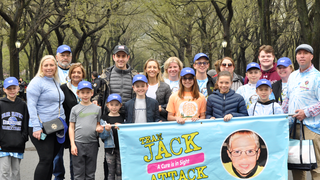
Since its inception in the Spring of 2006, over 200,000 walkers, donors, and corporate sponsors have raised more than $64 million through VisionWalk.
As promising treatments move into critical human studies, the need for research funding is greater than ever.
Join the tens of thousands of people who have taken important steps toward a treatment or cure by participating in a 5K VisionWalk. Find a Walk near you and register today!
Visionary Champion National Partner

Spring 2024 VisionWalk
The Foundation Fighting Blindness is excited to be hosting VisionWalk events across the country this spring.
Click on the button below to see our upcoming spring VisionWalks.
About VisionWalk
VisionWalk is a signature fundraising event of the Foundation Fighting Blindness, a 501(c)(3) tax-exempt organization. Over 10 Million Americans are affected by blinding retinal diseases including macular degeneration, retinitis pigmentosa and Usher syndrome. The Foundation Fighting Blindness is working to find treatments and cures for these devastating diseases. By funding leading edge research in areas such as genetics, gene therapy, transplantation, artificial retinal implants and pharmaceutical and nutritional therapies, the Foundation Fighting Blindness is making a difference today to make the world a brighter place for those suffering with blinding retinal diseases.
EIN - Tax ID# 23-7135845